
Course Restores & Shareable Invite Links


This week, we shipped updates that give you more control over your courses and academy, while making everyday admin work clearer for tutors and students.
Restore earlier versions of a course
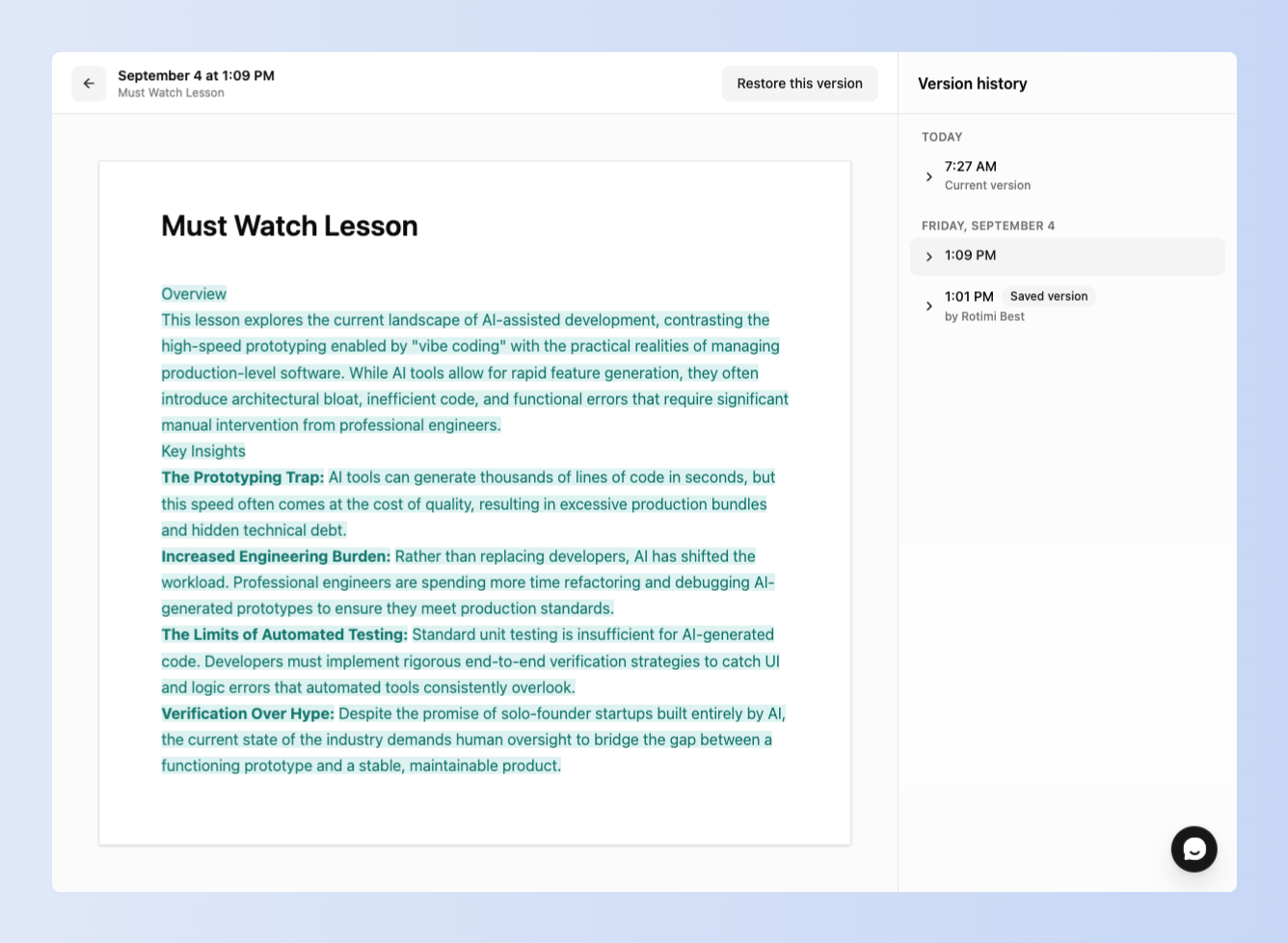
You can now edit a course and restore an earlier version when you need to. If an edit or accidental deletion changes something you did not intend to change, you can go back to an earlier version instead of rebuilding the content from scratch.
This also makes it safer to experiment with a new course structure, rewrite a lesson, or reorder course content.
Invite students with a shareable link
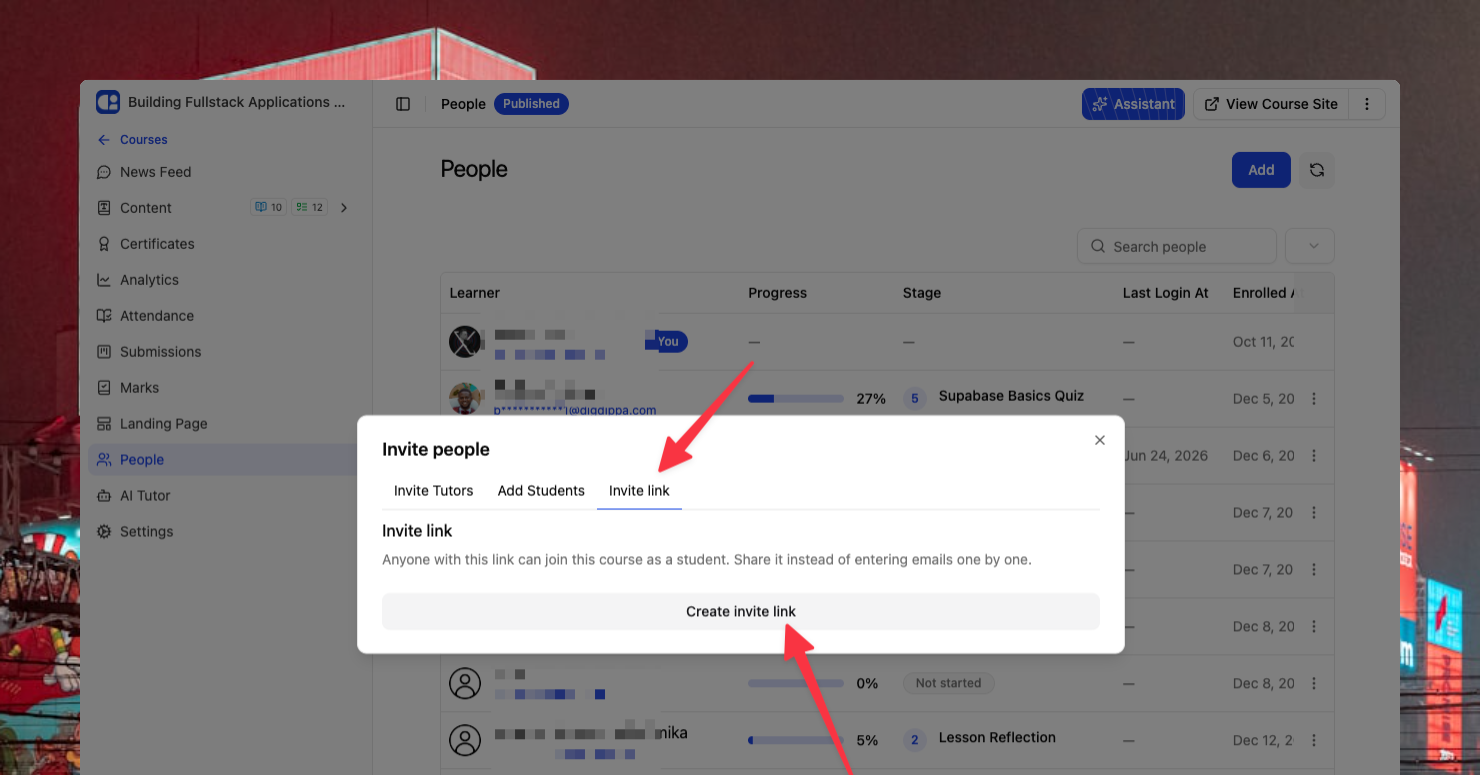
You can now generate a single invite link and share it in email, WhatsApp, or other channels. This gives students a faster way to join without adding every email address one at a time.
You can turn a link off when you no longer want new signups through it. You can also see how many students joined through each link.
Choose which courses appear on your academy
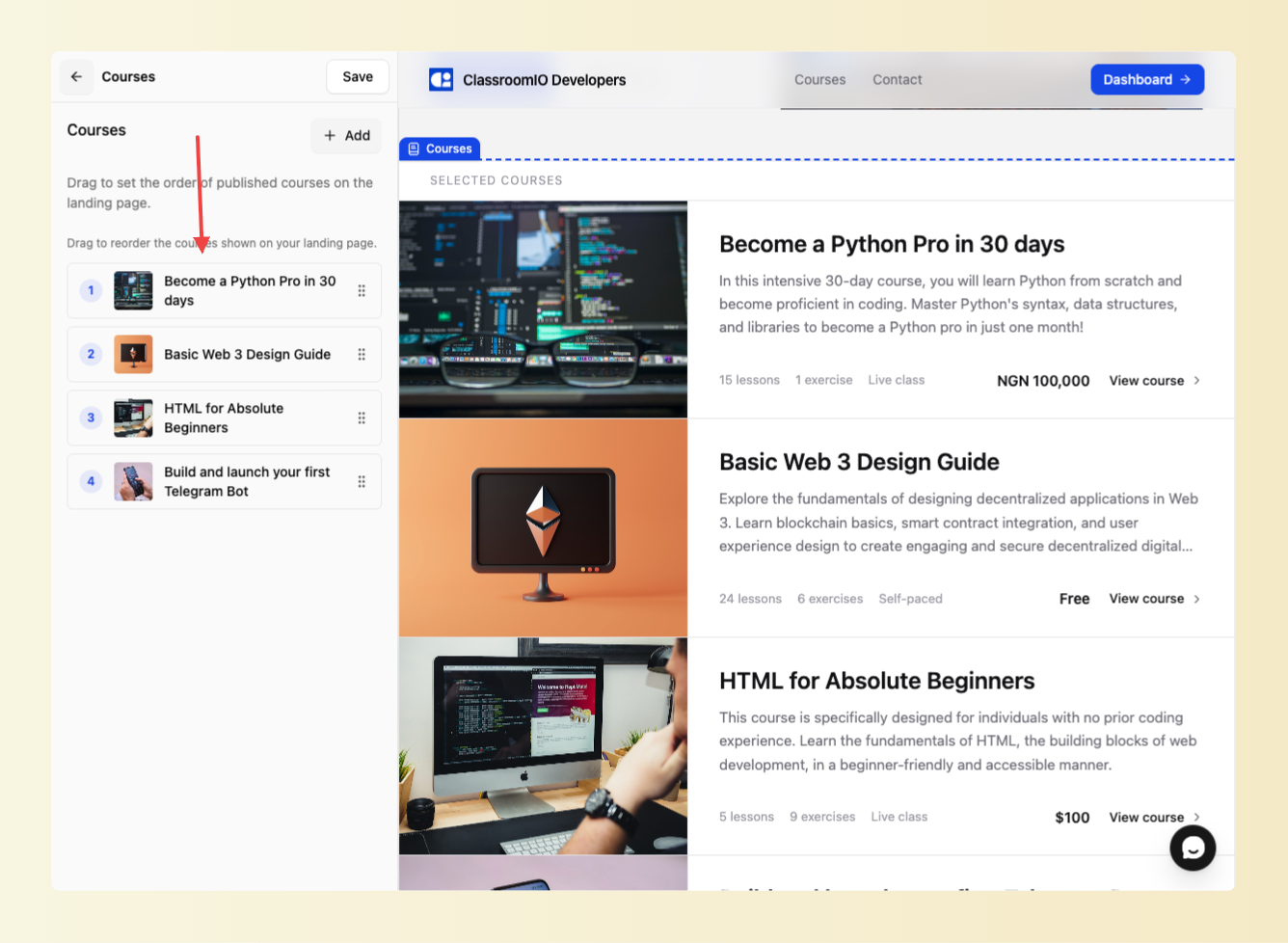
You can choose which published courses appear on your organization's public academy landing page. This lets you feature the courses that are most relevant to visitors instead of showing your entire catalog by default.
Certificates handle longer text
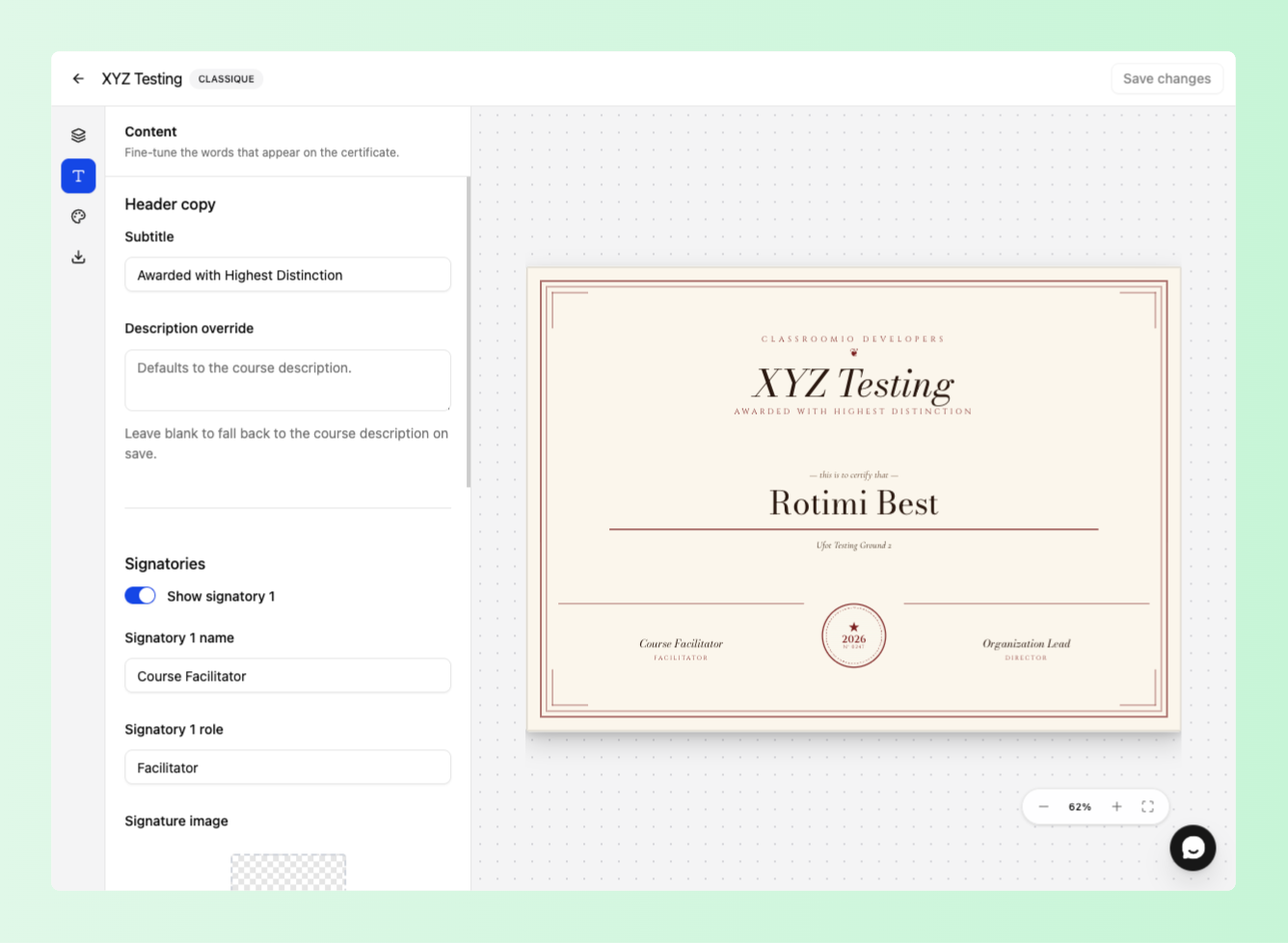
Certificates now resize signatory names, footers, and course titles so longer text does not overlap other elements. Students get a clean certificate even when a name or course title is longer than usual.
See which courses get the most views
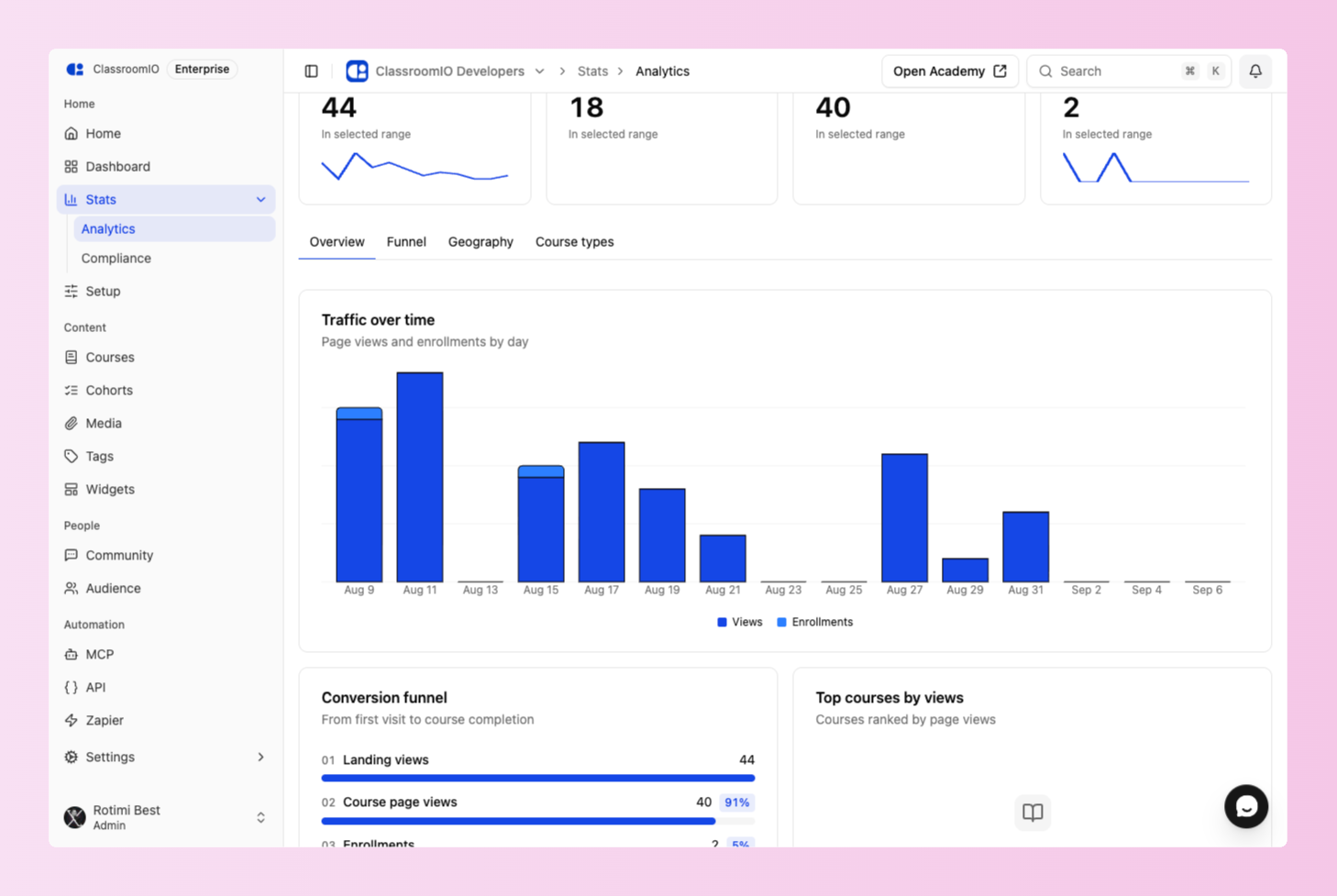
Analytics now include a ranked list of your top courses by page views. You can see which courses attract the most attention and decide which ones to promote or improve.
Fixes and improvements
-
Fixed a database migration issue that could prevent courses from being edited or created.
-
Refreshed dashboard state after onboarding so information does not remain stale.
-
Simplified the analytics trend bar to make the page easier to scan.
-
Reorganized the documentation by purpose and audience.