
Upload videos from our MCP, a reusable media library and richer webhooks

This week your media became reusable and webhooks got a lot smarter. Upload videos and documents once into a library you can draw from in any lesson, upload a video straight from our MCP, and react to a richer set of events across your academy.
Upload and reuse videos
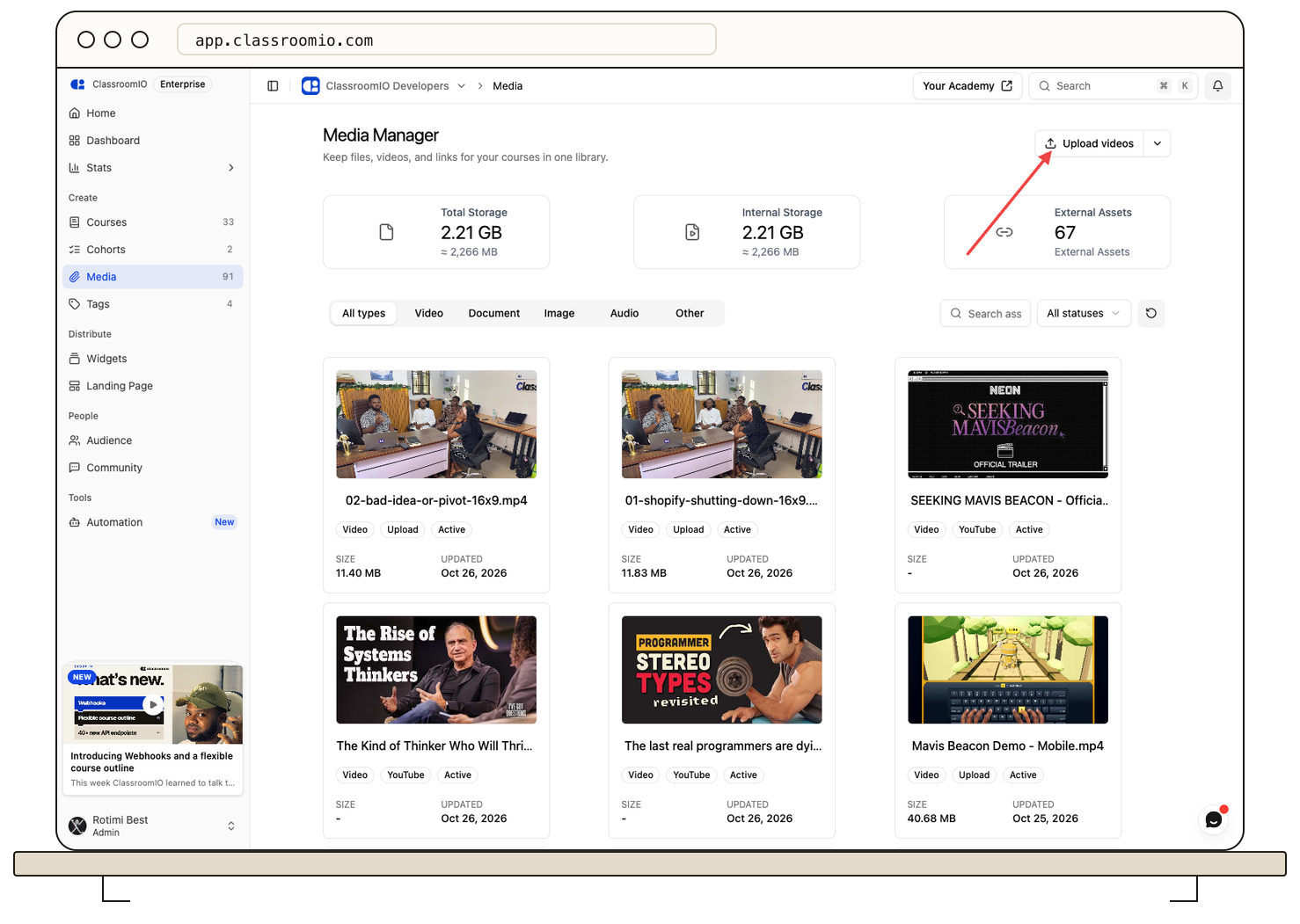
Until now, a video or document you uploaded lived with a single lesson. If you wanted the same video in two lessons, you uploaded it twice. The media manager could collect links from YouTube, Vimeo and Google Drive, but it could not hold files of your own.
Now it can. Open Media Manager and click Upload videos or Upload documents. The file goes into your library, ready to attach to any lesson, and the same asset can appear in as many lessons as you need. When you upload from a lesson, the file is still added to the library, so it is there for the next one.
Upload from our MCP and your other tools
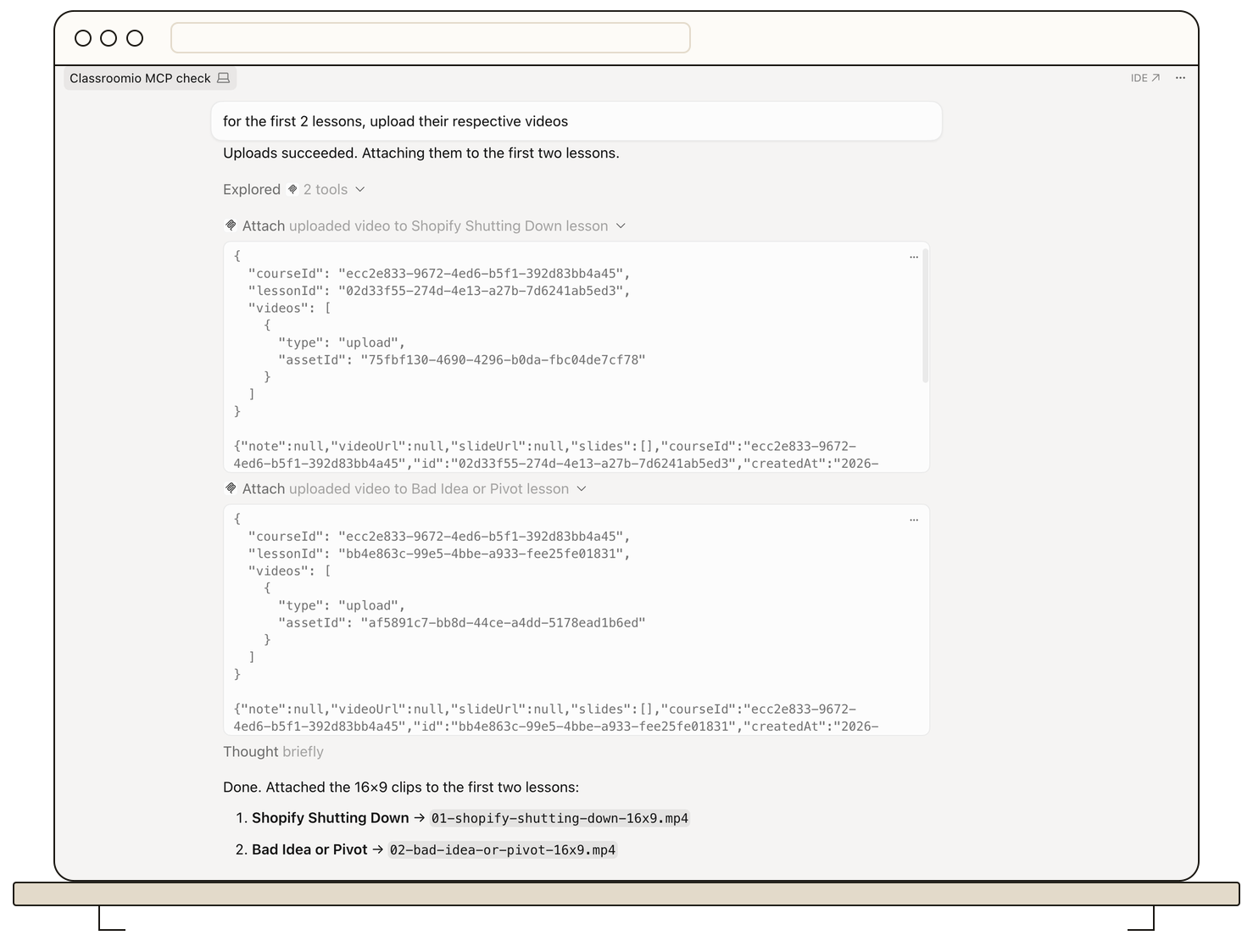
If you use the public API or let an AI tool like Claude Code or Cursor work in your academy through our MCP, you can now upload a video and attach it to a lesson without leaving your editor. Videos uploaded this way now play at the quality each viewer's connection can handle, instead of as one large file. Video upload through the API and MCP is available on paid plans.
Choose a better thumbnail
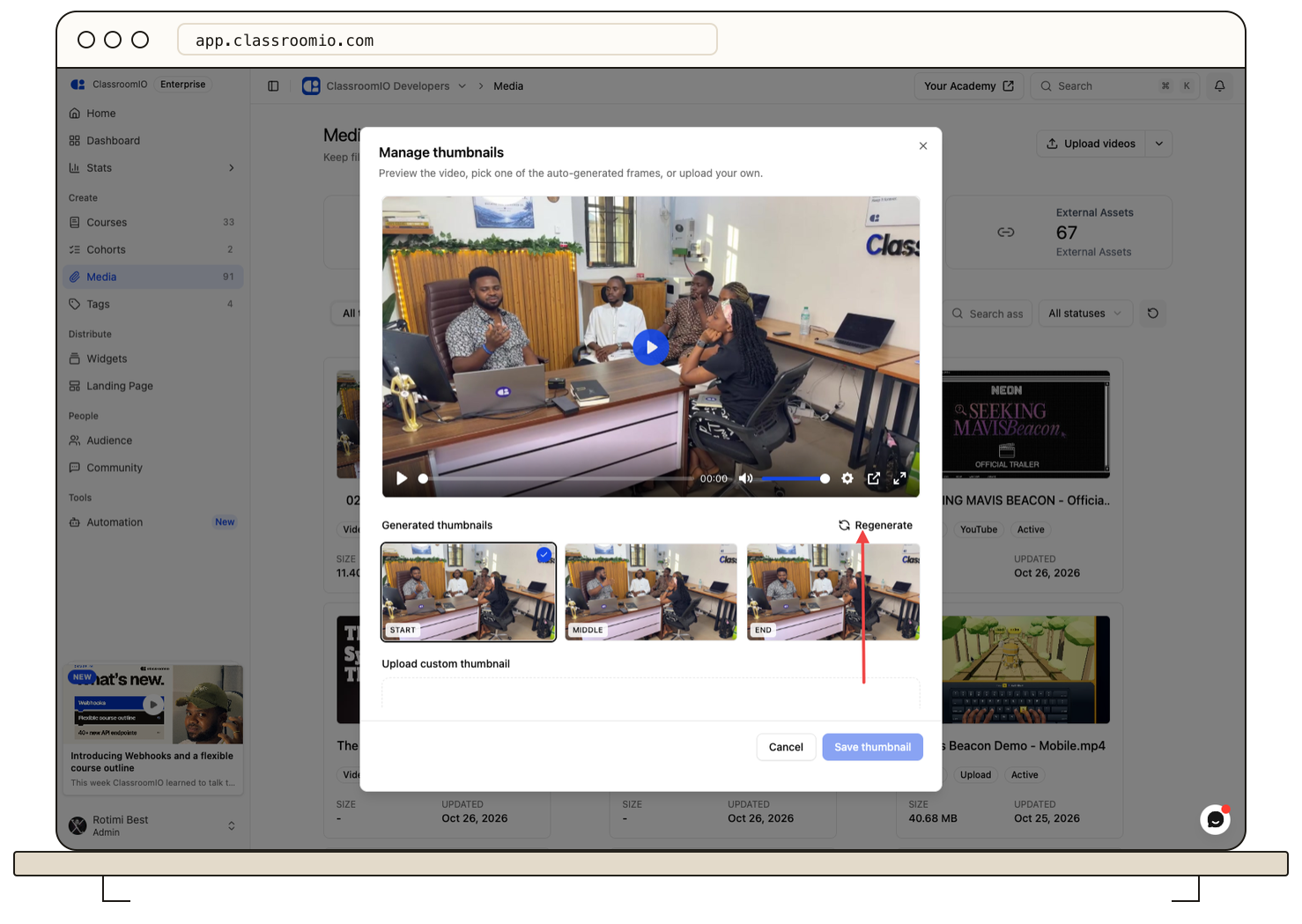
A video's thumbnail is usually an automatic frame, and it is often a blurry or awkward one. In the media manager, open a video and choose Manage thumbnails to pick a better auto-generated frame or upload your own image. You no longer need to re-upload the video to fix a bad cover.
Richer webhooks
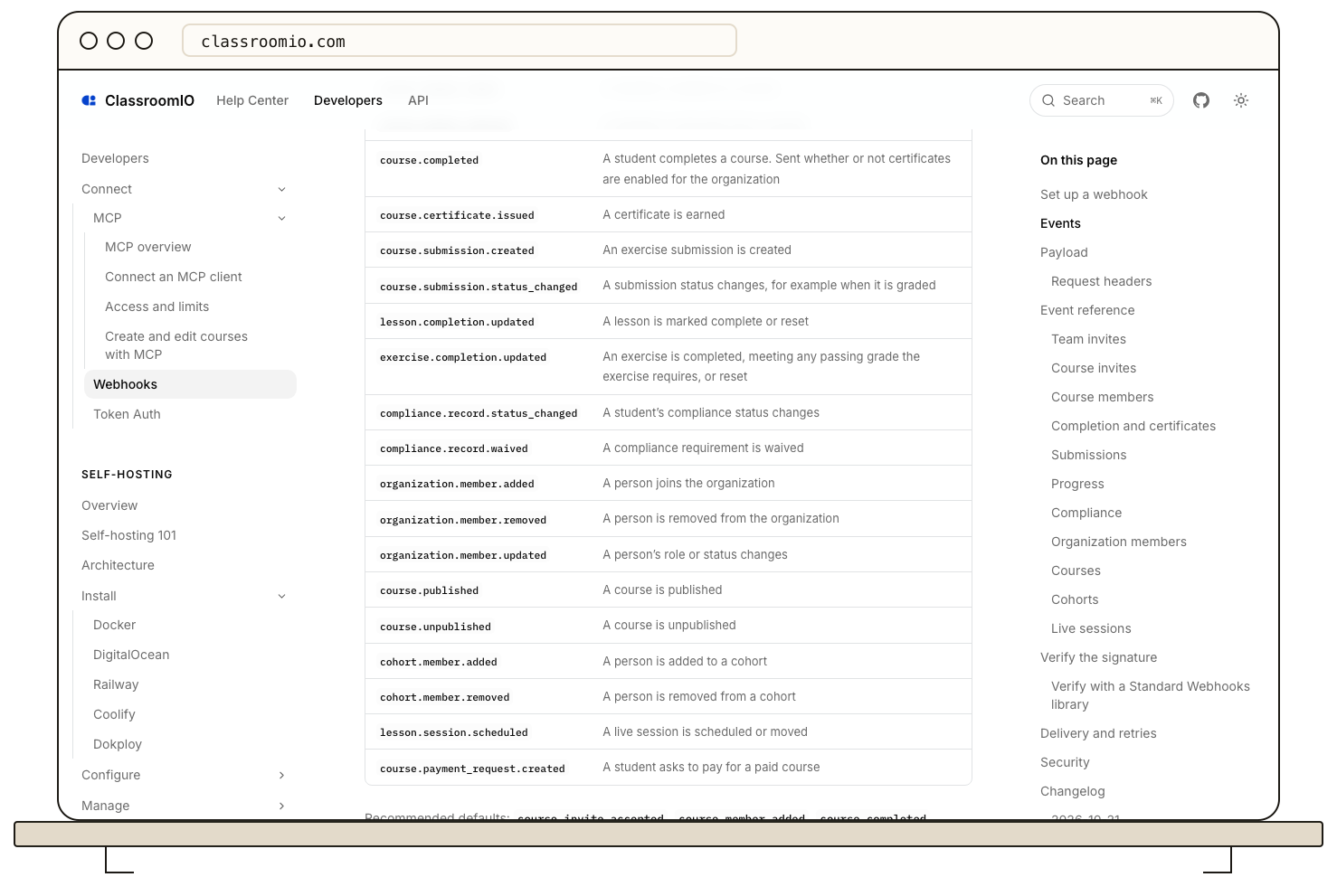
Last week's webhooks told your other tools when students and courses changed. This week they tell you a lot more.
Course completion is now its own event. Before, course.completed only fired when a student earned a certificate, so academies that had certificates off got no completion signal at all. Now completion is tracked separately and fires on its own, and for compliance courses it is sent once per cycle. Earning a certificate sends its own course.certificate.issued event right after, with the certificate's status and download link.
Every event also carries more context: your students' SSO id, the course type, tags, cost and links, and the actor or source that caused the event. New events cover:
-
Organization: members added, removed and updated.
-
Cohort: members added and removed.
-
Compliance: a student's status changed or was waived.
-
Courses: published and unpublished.
-
Sessions and payments: a live session scheduled, and a student requesting to pay for a course.
These events let you build automations you could not before, such as flagging a compliance follow-up, syncing cohort membership to another system, or starting a payment workflow when a student asks to pay.
More in the API and MCP
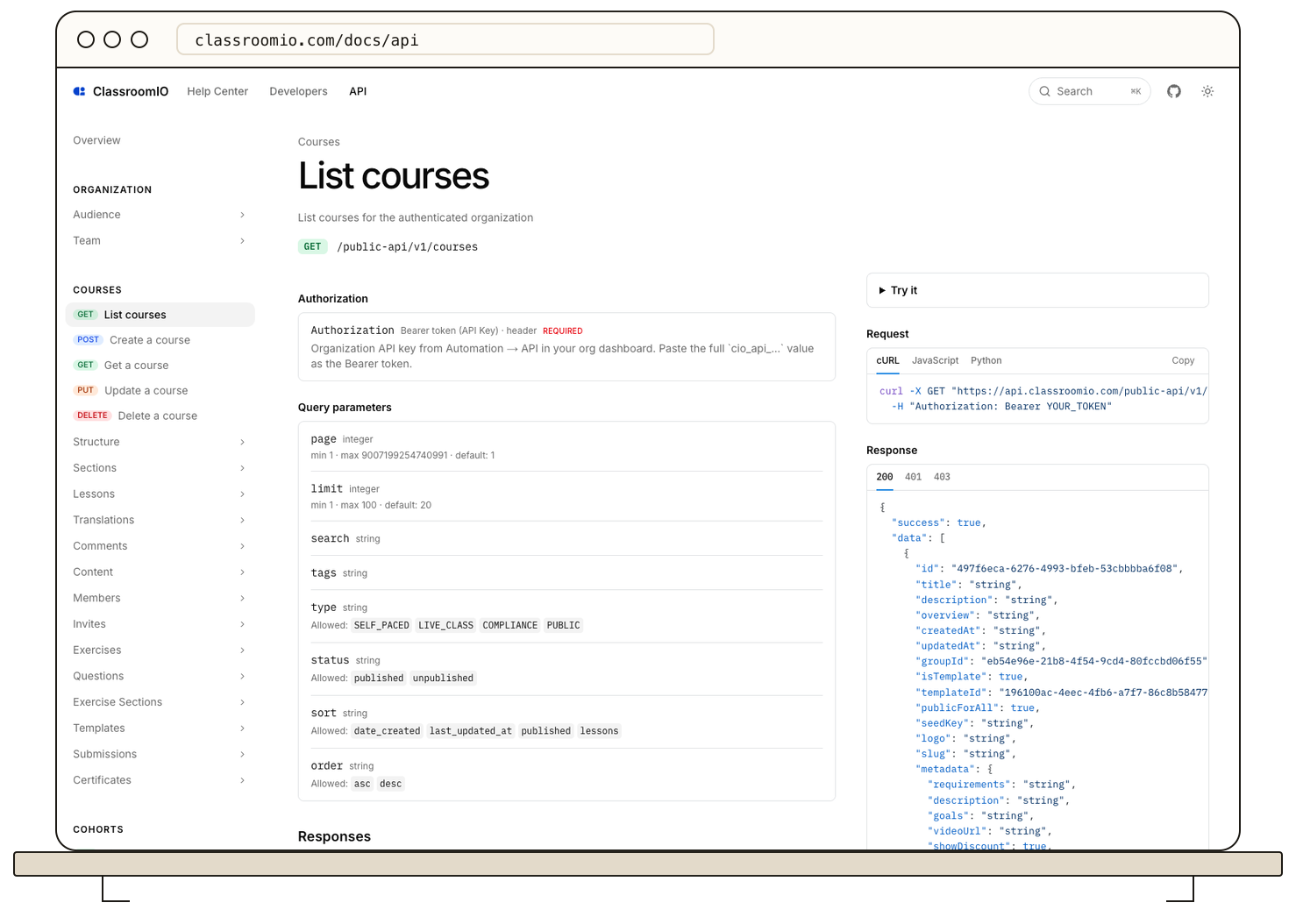
If you build on ClassroomIO, four more areas are available through the API and MCP:
-
Course templates: list templates, create a course from one, and save a course as a template.
-
Student email templates: read and change the twelve email templates admins edit in Settings, per language.
-
Bulk audience invites: invite up to 1,000 people in one call instead of one request per person.
-
Clone and feature courses: copy a course in one call, and set which courses are featured on your landing page.
Fixes and improvements
-
Certificate settings show your completion rules. The certificate settings page now summarizes the rules a student must meet to earn a certificate, with a link to edit them in Course settings under Completion rules. (#1255)
-
Course final exercise removed. The "course final exercise" feature was removed; completion rules now live in Course settings. (#1255)
-
Attendance is clearer. The "Present" example is now shown ticked, so it is obvious a tick means present, and the search and pagination controls are hidden for students, who only ever see their own row. (#1393)
-
The course sidebar stays the way you left it. The collapsed state of the course sidebar now stays across page loads. (#1407)
-
Long lesson titles stay tidy. Long lesson titles now truncate in the sidebar content tree instead of spilling over. (#1406)