
Invite Links: Onboard learners faster than ever

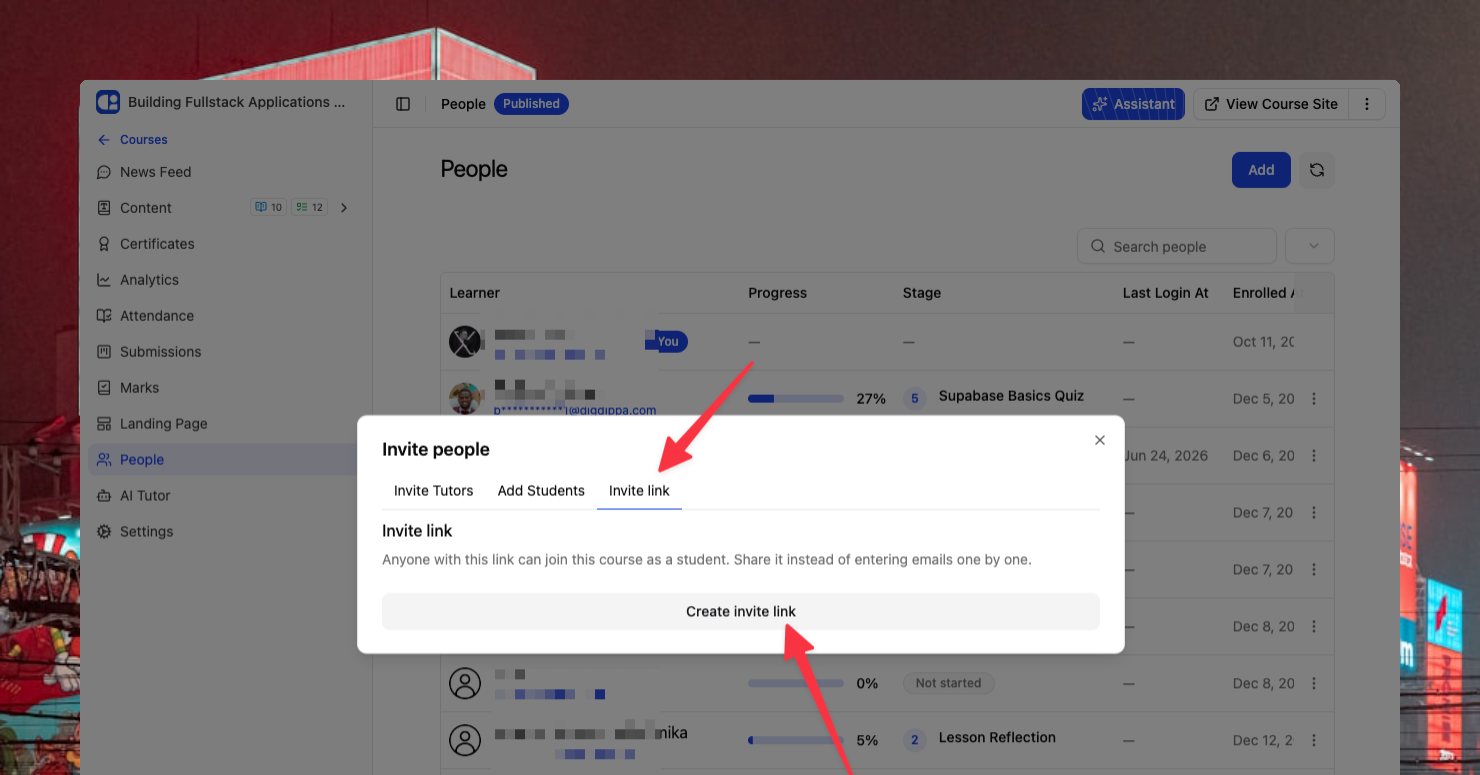
Say Goodbye to Manual Invites: Introducing Invite Links
Let’s be honest: manually typing out every single student's email address is nobody's idea of a good time. Whether you’re launching a new cohort or opening up a self-paced course, you should be focusing on teaching, not data entry.
We’ve heard your feedback loud and clear, and we’re excited to roll out Invite Links! Now, getting your learners into ClassroomIO is as simple as sharing a single URL.
What’s new:
-
One link to rule them all: You can now generate a unique invite link for any Cohort or Course. Just copy, paste, and share it via your social channels, email, or Slack.
-
Easy to find: Head over to the People tab, click Add, and you’ll see the brand-new Invite Link tab waiting for you.
-
Full control: If you’ve reached your student limit or want to close registrations, you can disable the link at any time with a single toggle.
Track your growth: You can now see exactly how many people have joined your organization through that specific link.
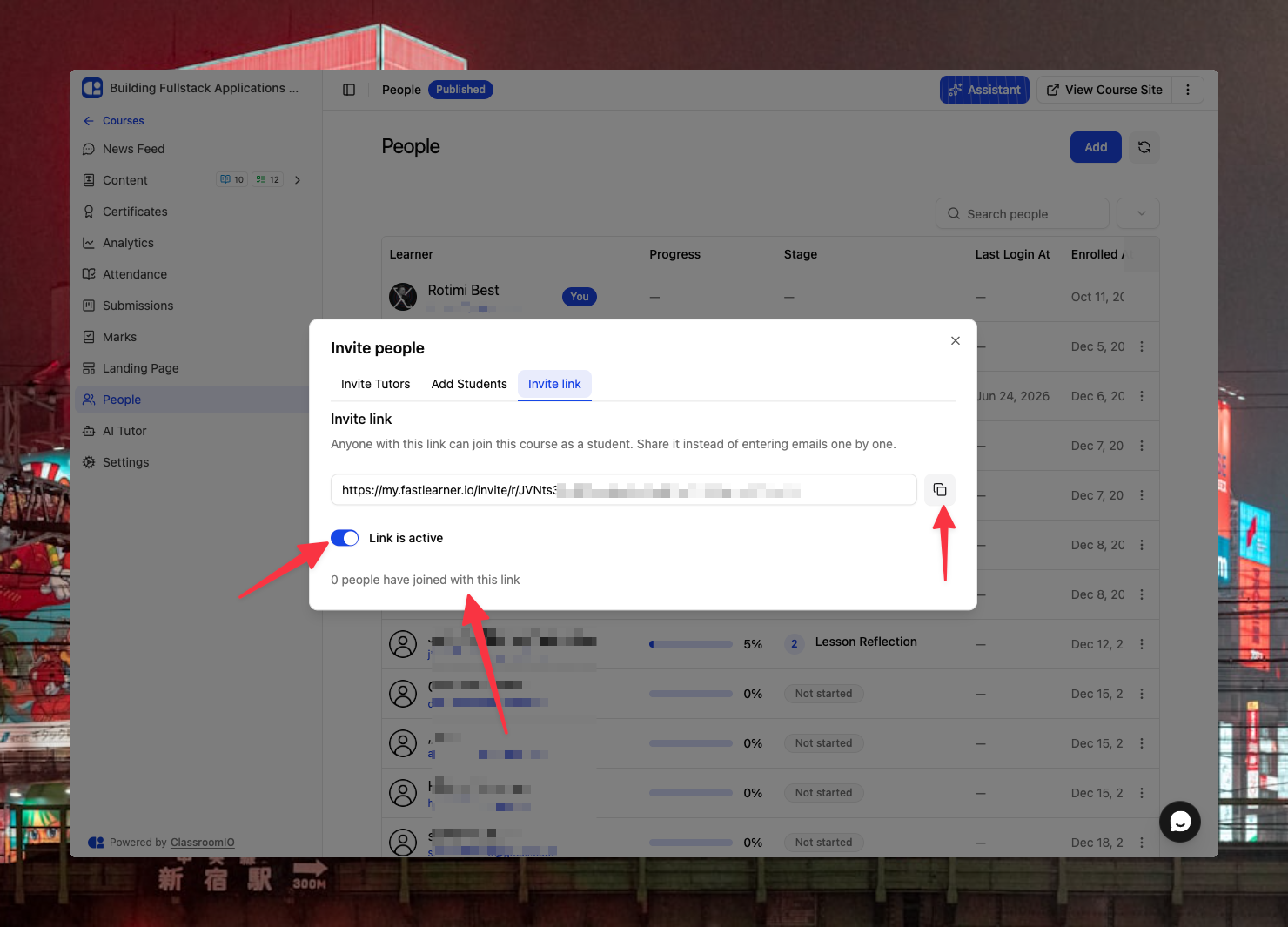
We built this to save you time and make the onboarding process seamless for your students. No more typos, no more missed invites. Just a smooth start for everyone.
Go ahead and grab your first link today. We can’t wait to see your classrooms grow!